
Analytics, statistics and exports
Community analytics and public statistics
Section titled “Community analytics and public statistics”Open Analytics in administration when your role permits it. Set the date range and offered organization/category filters, then apply them. Review the chart labels before interpreting a number: consent-based visit/reporting-flow analytics, individual contributor counts and report totals measure different things.
Visit analytics depend on consent. A resident who declines analytics can still browse or report; missing visit events do not mean the application was unused. This application analytics configuration is separate from the ReportHub product website, which does not enable analytics by default.
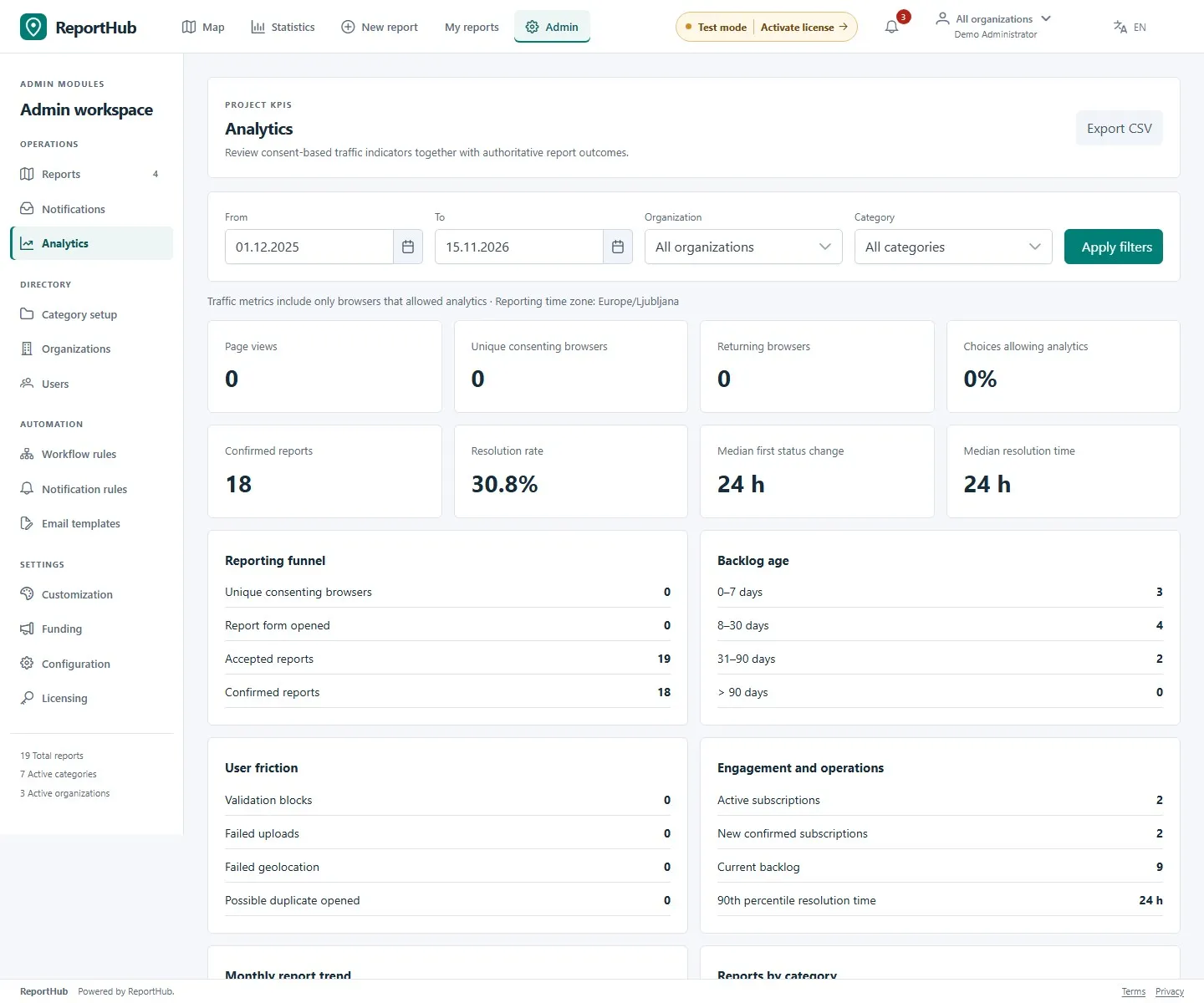
Demo interface
Contributor statistics count confirmed, approved open/in-progress/resolved reports as valid contributions. Duplicates, spam, archived/rejected reports and proposed corrections do not add valid contributions. These staff/contributor views are not a public leaderboard.
For public report trends, use the application’s Statistics page and its period controls. It shows public report measures rather than private case data. Use report-list Export CSV for available operational report data and the analytics export action for the analytics view; do not assume their columns are identical.
VZD operational analytics
Section titled “VZD operational analytics”- Open Analytics, select the offered department, category and date filters, and apply them.
- Review open, overdue and total cases, closure-time summaries, trends, status, risk, categories, departments and event types.
- Distinguish unassessed cases from a low-risk assessment; a missing risk is not the same as low risk.
- Use the linked case/action lists to investigate the records behind the work, within your current access. My work is a personal/lead summary, not an installation-wide analytics report for every user.
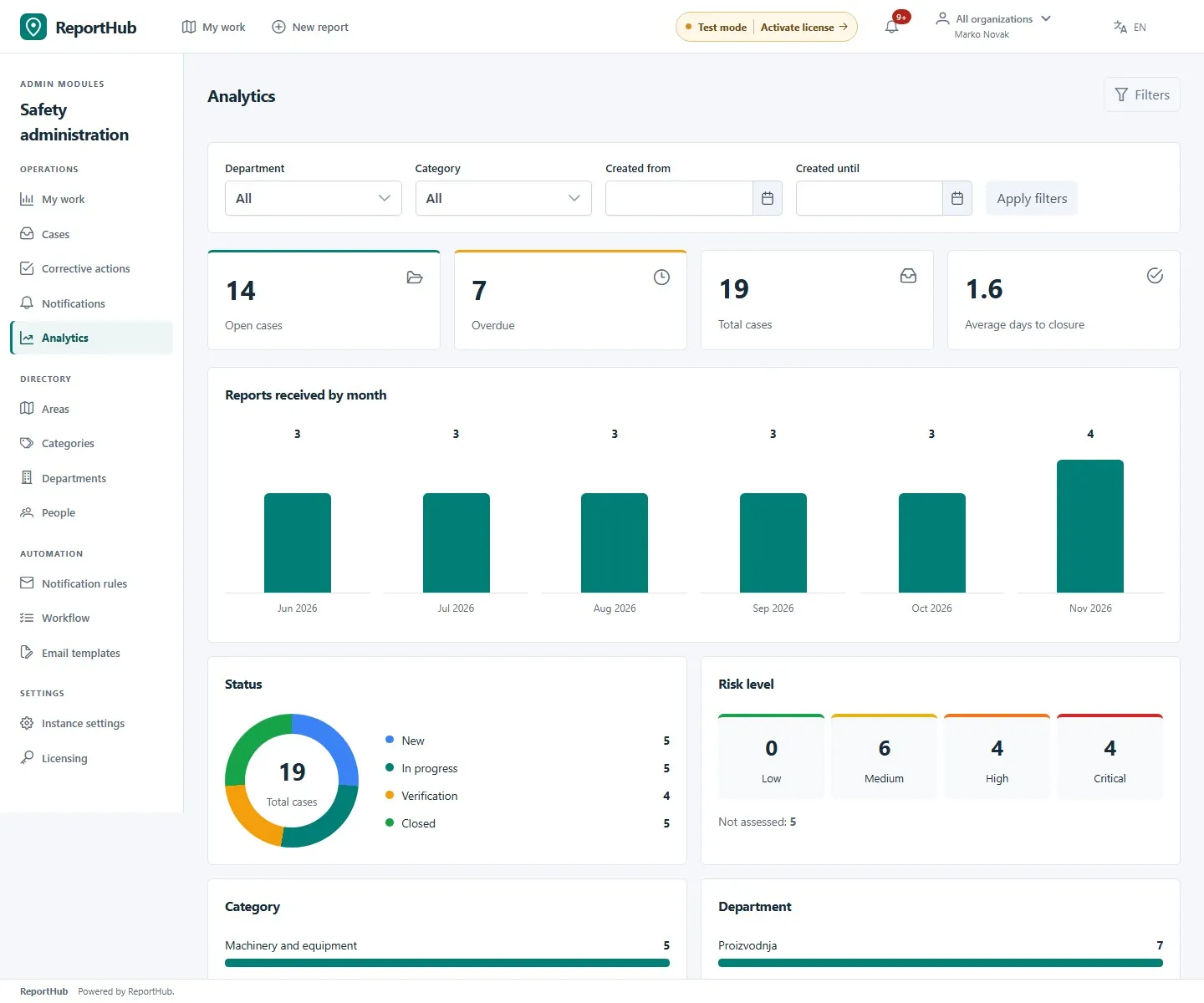
Demo interface
Department memberships and active context still restrict lists, charts and exports. Selecting all eligible departments does not grant additional access. Compare like periods and filter scopes; empty results can be a filter or permission effect.
Export responsibly
Section titled “Export responsibly”Use the Export menu on the VZD case list for the offered JSON/CSV options, and the export controls in action/analytics views for their respective data. Private reporter-contact export is separately audited and superuser-only; ordinary exports omit those contacts.
Check the resulting file, selected filters and date range. Keep exported data private, share it only with authorized recipients and apply your organization’s retention rules. Read/export access can remain after an evaluation or time-limited licence expires even when changes are blocked; see licensing.