
Workflow permissions and leadership
These screens require a superuser. Community and VZD have different workflow controls: a role transition matrix in Community and a fixed case lifecycle with named leadership in VZD.
Community: edit allowed transitions
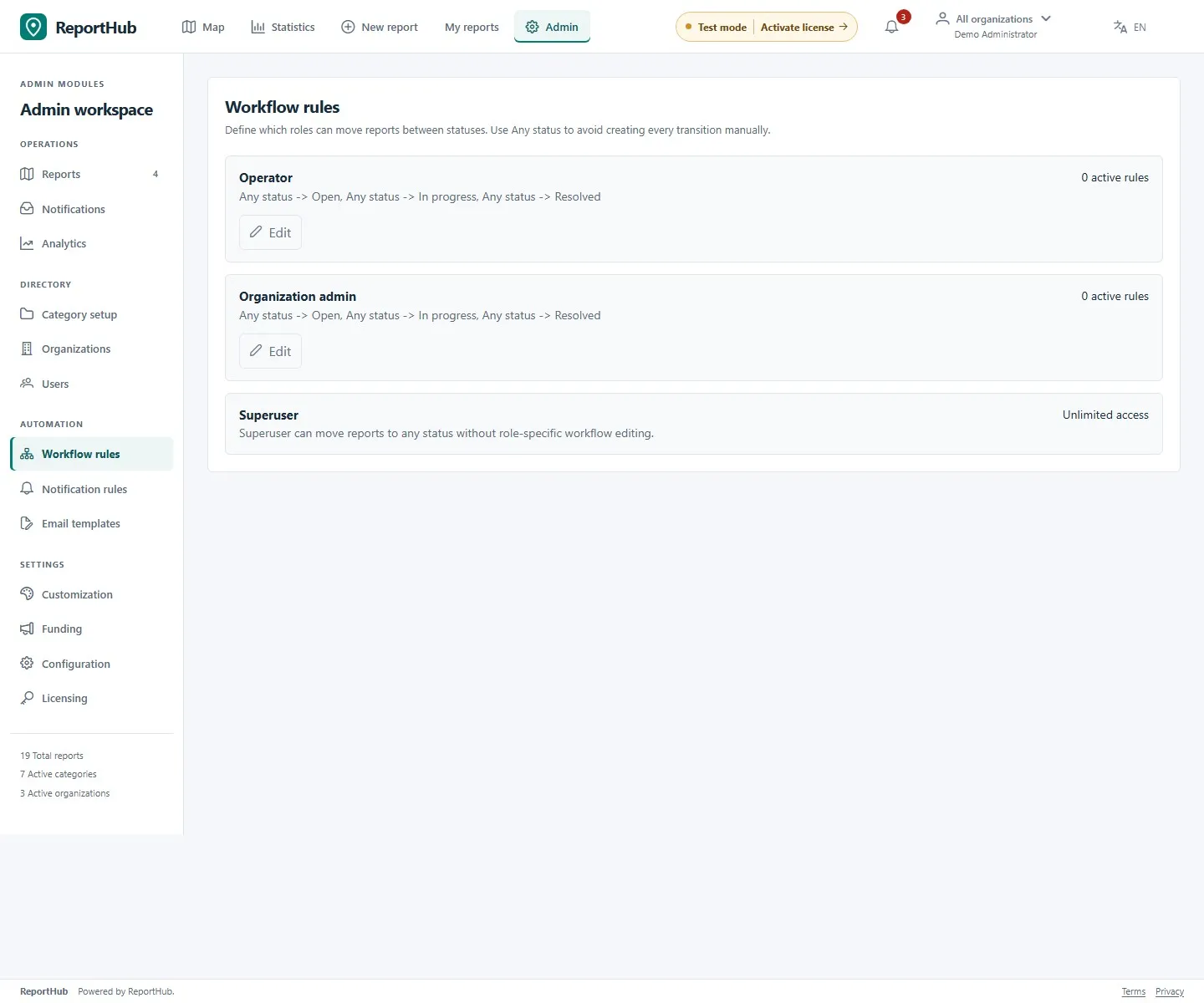
Section titled “Community: edit allowed transitions”- Open Workflow rules and choose Edit for the operator or organization-administrator role.
- Read the matrix as current status → next status. Enable the transitions that role should use; the diagonal is not a transition.
- Select Save, reopen the matrix and check the saved choices.
- Verify a representative report with the intended staff role, handling organization and assignment. A checked transition does not bypass report access, publication review or assignment requirements.
Demo interface
Superusers have unrestricted transition access rather than an editable role matrix; viewers cannot acquire write access through this screen. Saving the matrix sets the application’s note requirement for transitions to resolved, duplicate, spam and archived. The report workspace displays the note requirement when applicable.
Changing these rules affects future permitted actions; it does not move existing reports automatically. Do not grant broad transitions merely to work around a missing handling organization or unpublished report.
VZD: appoint the Safety director
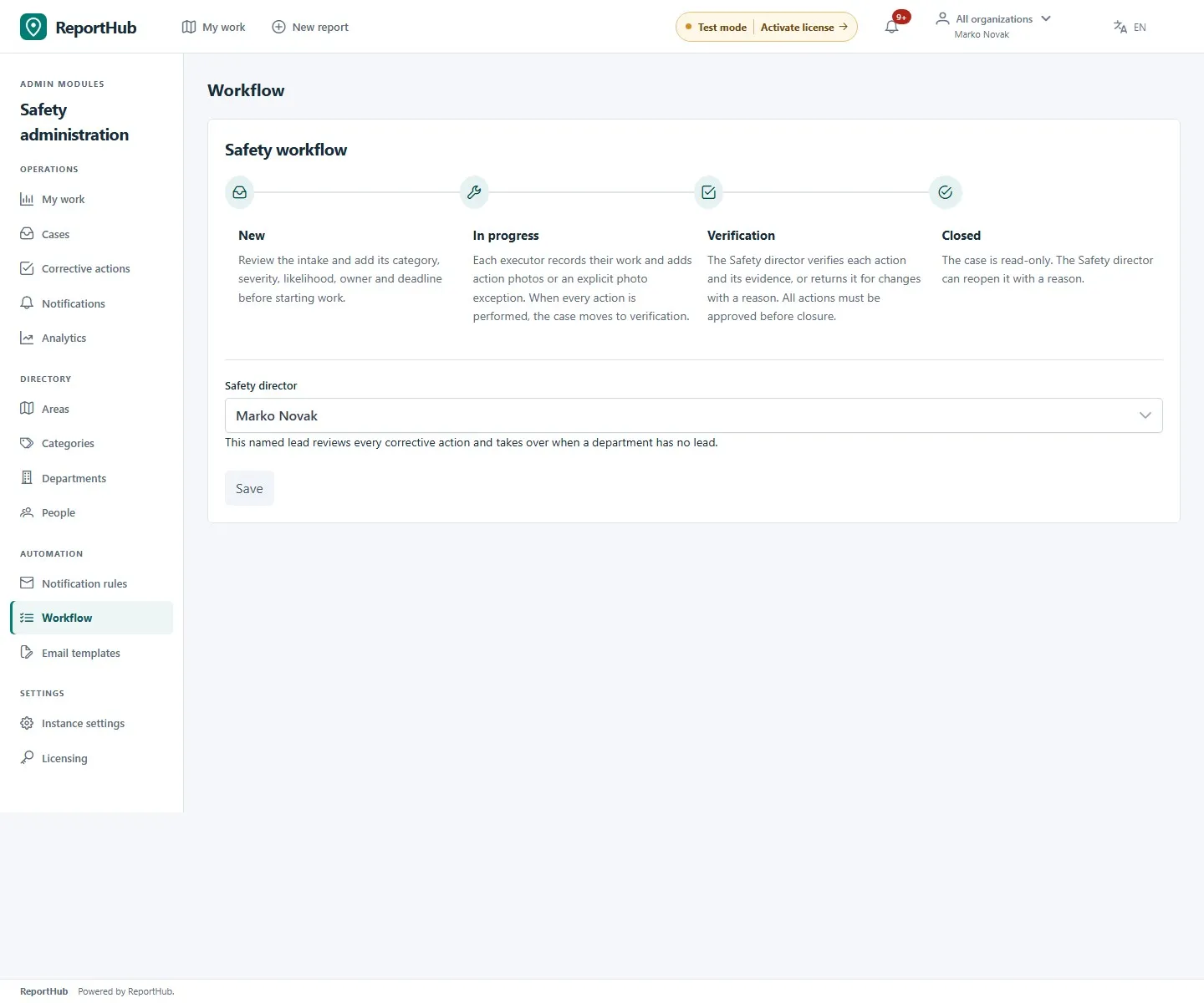
Section titled “VZD: appoint the Safety director”- Open Workflow and review the four stages: New → In progress → Verification → Closed.
- Select the named active Safety director from the eligible accounts and save.
- Confirm the new appointment before removing the previous director’s eligibility. The director must remain an active superuser.
- Appoint department leads separately in Departments. A lead coordinates their department; individual execution assignments do not make someone a lead or verifier.
Demo interface
VZD’s stages and prerequisites are part of its workflow, not a Community-style custom status matrix. Category, risk, assignee and deadline are required to start work. Completing actions supplies evidence; the named director individually verifies each action before closure. System-administrator status alone does not substitute for that appointment.
Use the case guide for returns, verification, closure and reopening, and corrective-action instructions for execution.