
Notifications and rules
Read your notifications
Section titled “Read your notifications”Use the header bell or Notifications to review events relevant to your work. Open the linked report or action and check its current state before acting: a notification records an event, not a guarantee that the case is unchanged. Mark notifications read using the available controls. Your role and scope still govern access to the target.
Who manages rules?
Section titled “Who manages rules?”Community Notification rules is a superuser configuration screen. In VZD, superusers manage defaults and installation-wide rules; department administrators can inspect defaults and manage their own scoped additional rules. An operator receiving a notification cannot change its routing merely by opening it.
Add or edit a rule
Section titled “Add or edit a rule”- Open Notification rules, inspect existing defaults and avoid duplicating an existing audience unnecessarily.
- Select Add rule or Edit. Give an additional rule a clear name and choose its event(s).
- Set organization/department and category conditions where available. Community also supports event-specific delay/inactivity conditions and a destination-status filter for status changes.
- Choose recipients from the offered audience options and, where requested, select eligible users or an organization. Rules do not grant access to private reports.
- Enable In app, Email, or both. For email, configure the template/message entries. In Community, a rule can have multiple email-message entries; extra To/CC addresses are unavailable for private review events.
- Set Active, save, reopen the rule and check the saved event, conditions, audience and channels.
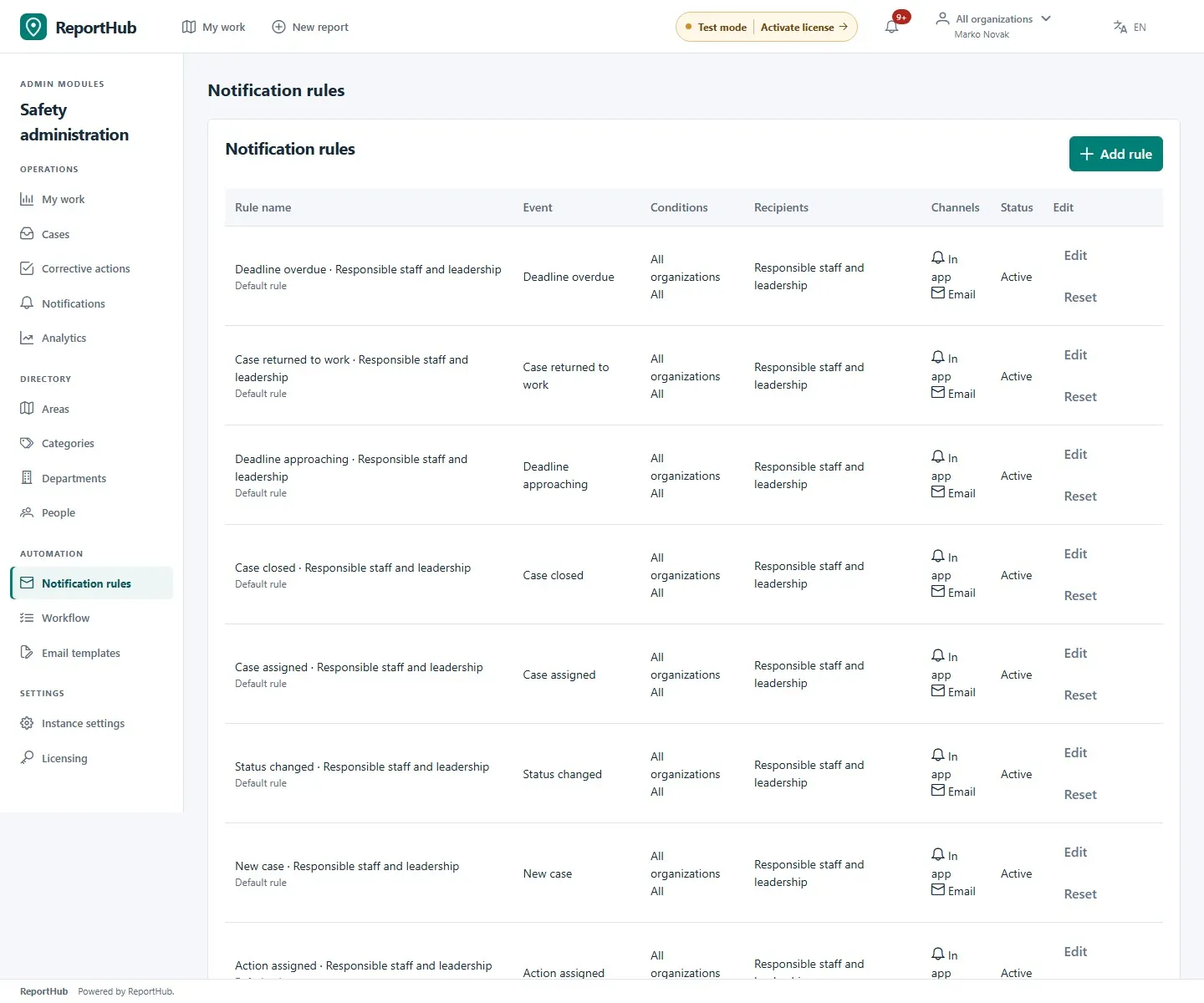
Demo interface
Default rules have fixed identity/event/audience fields where the editor locks them. Superusers can edit the permitted fields or Reset a default; defaults cannot be deleted. An additional rule can be disabled or removed when no longer needed. Reset intentionally restores default behavior, so review channels afterwards.
Delivery and deadlines
Section titled “Delivery and deadlines”Bell and email channels are independent. Email requires enabled, working SMTP and an eligible active recipient. Queued deliveries recheck current access; a rule cannot bypass department or review permissions. Overlapping event rules deduplicate delivery rather than granting extra access.
VZD deadline approaching/overdue events cover case and unfinished-action deadlines through their relevant rules. Check the event and channel rather than looking for a single global reminder switch. Community new-report notifications concern published reports; private publication/correction reviews have separate reviewer audiences.
These rules govern staff notifications. Reporter receipts, public subscriptions, account verification and password resets follow separate flows. If in-app notifications arrive but email does not, check mail settings and templates; do not use repeated public submissions as a delivery test.