
Email templates
A superuser manages Email templates in either module. Templates define message content; notification rules determine which internal event and recipients use it. A saved template does not enable SMTP or send a message by itself.
Create or edit content
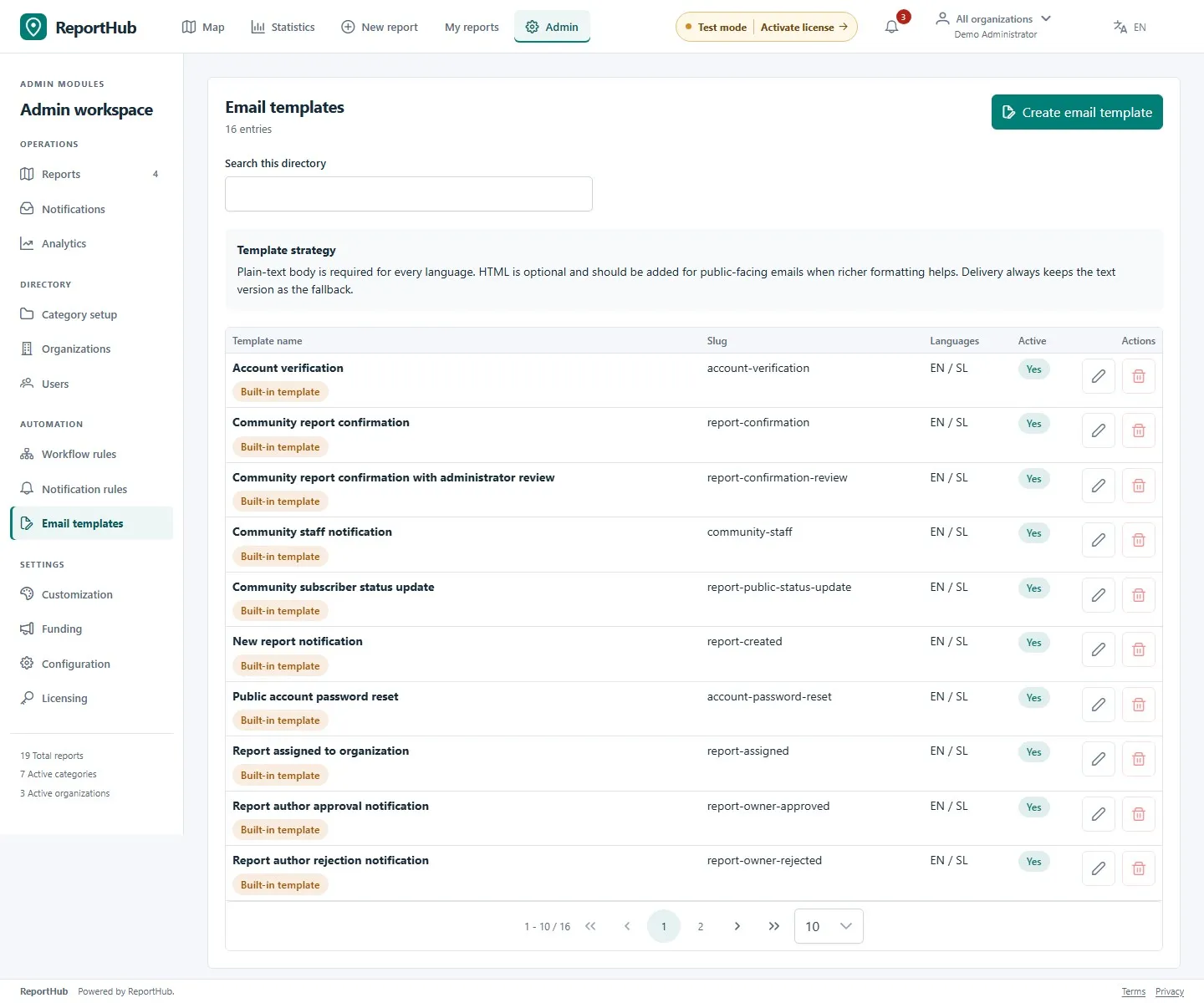
Section titled “Create or edit content”- Open Email templates and search for the required template. Use Edit on an existing entry or Create email template for an additional one.
- Enter a name, unique slug and optional description. System-template slugs are locked: keep their identity so the application can select the right built-in message.
- Complete the English and Slovenian subject and plain-text body. Both languages are required. Keep the subject meaningful even when the recipient does not display HTML.
- Optionally add an HTML body in each language. Maintain a useful plain-text equivalent and avoid scripts or content that exposes internal details.
- Check Active, then save. Reopen the entry to confirm both translations were saved.
Demo interface
Use variables safely
Section titled “Use variables safely”The editor lists the variables offered for the installed module. Copy a variable from that list and preserve its spelling and braces. Available values depend on the event; do not assume a value shown for one message exists in every other message.
| Module | Examples shown by the editor |
|---|---|
| Community | {{ report.title }}, {{ report.status }}, {{ report.publicUrl }}, {{ report.adminUrl }}, {{ organization.name }}, {{ confirmation.url }} |
| Safety / VZD | {{ app.name }}, {{ safety.reference }}, {{ safety.event }}, {{ safety.deadline }}, {{ safety.url }} |
Use public report links in public-facing messages and administration links for staff. Preserve confirmation/access links in the system messages that need them. Avoid inserting recipient addresses or private report content into messages intended for a broader audience.
Preview and test the right thing
Section titled “Preview and test the right thing”Select Show preview to inspect subjects, text and HTML in both languages. The preview uses example data: it helps check formatting and variable placement but does not prove live delivery or event routing. Fix the content before saving.
For delivery, save mail settings, use the available SMTP test with a controlled recipient, then check the relevant notification rule and event. A transport test is separate from verifying that a particular event selects the intended template.
Retire a template
Section titled “Retire a template”Before deactivating or deleting an additional template, find the rules/message entries that use it and choose a suitable replacement. Built-in system templates have protected identities and cannot be treated as arbitrary disposable entries. If an action is blocked by a dependency, correct the reference rather than deleting operational data.