
Categories and subcategories
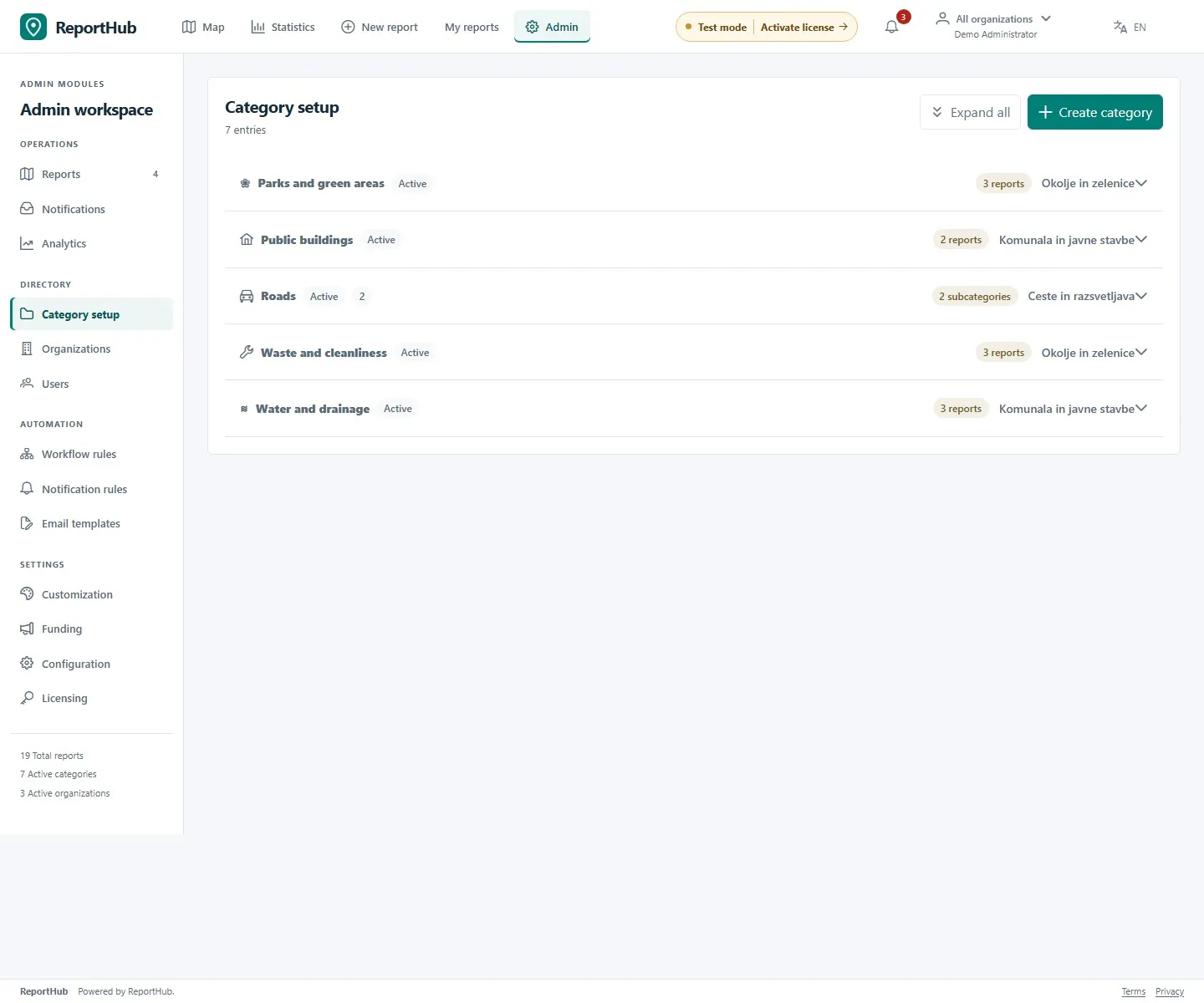
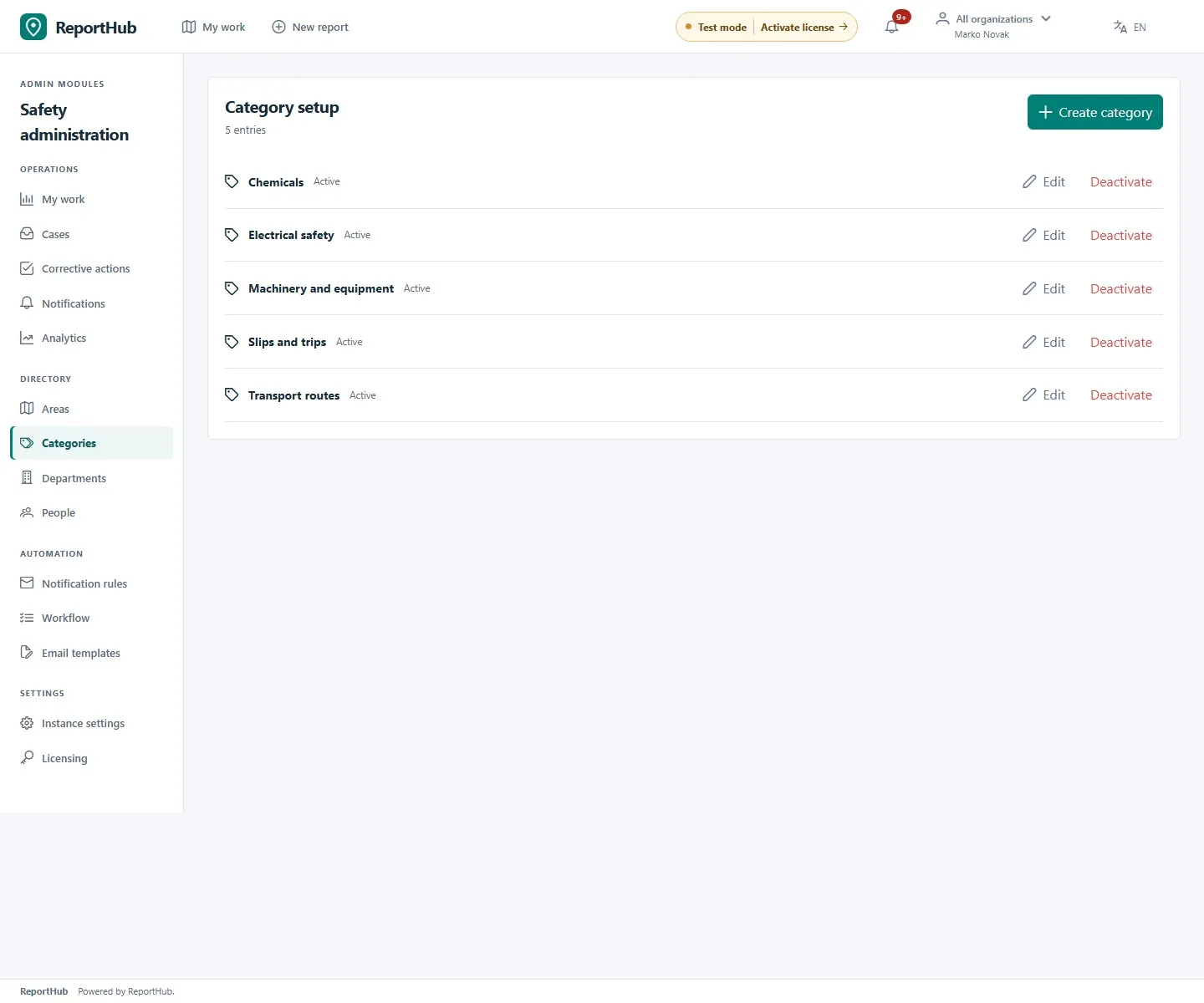
Category creation and editing require a superuser. In Community open Category setup; in VZD open Categories. VZD department administrators can inspect the directory but do not get its category-management buttons.
Create a category
Section titled “Create a category”- Select Create category.
- Enter a unique Slug, an English label and a Slovenian label. The labels are shown according to the user’s language; the slug is a stable identifier, not the translated name.
- Choose an icon and check Active if the category should be offered for new reports.
- In Community, select the Responsible organizations that should handle reports in this category. An active team needs suitable staff memberships as well as category responsibility.
- Save. Switch the app language and check both labels and the category’s appearance in the reporting form.
Demo interface
Community subcategories and routing
Section titled “Community subcategories and routing”Expand a parent category and select Create subcategory. Complete its bilingual labels, slug, icon, active state and responsible organizations, then save. Where the reporting form shows a subcategory, reporters choose the appropriate child. Check responsibility on the actual category used for reporting rather than assuming a parent’s team is sufficient.
Use Expand all to inspect the hierarchy. A warning about missing responsible organizations means the routing needs attention. Correct category responsibility before inviting public reports; the handling organization and individual assignee are then selected in the report workspace.
Safety categories
Section titled “Safety categories”Safety categories classify hazards and other events. They do not create department ownership or replace the area’s default assignee, department lead and Safety-director fallback. Report managers can complete classification during assessment when the reporter leaves it unspecified. Safety does not use Community’s subcategory/routing hierarchy.
Demo interface
Edit, deactivate or remove
Section titled “Edit, deactivate or remove”Use Edit to adjust labels or other fields and save. To retire a category while retaining historical meaning, clear Active in its editor; Safety also offers Deactivate directly. Inactive categories stop appearing in new intake.
Community deletion is blocked when a category is referenced, including by reports, child categories or notification rules. Resolve the dependency or deactivate the category; do not delete operational records merely to remove a category. Check historical reports after changes to confirm the directory still communicates the intended classification.