
Report a workplace hazard
Use the Safety / VZD reporting address or QR code provided by your employer. The product website does not receive workplace reports. For immediate danger or an injury, follow the workplace emergency procedure first; the reporting form does not replace it.
Open the right reporting link
Section titled “Open the right reporting link”You can submit without a staff account. A general reporting link lets you choose a point inside an available area. A microlocation QR code presets a specific location, such as a machine or workstation; you cannot move that point in the QR form.
Check the shown area and microlocation name. If you are reporting elsewhere, choose Report at another location or ask your workplace contact for the correct link. Do not reuse a QR code for a different machine. An expired or deactivated code needs a replacement from the responsible administrator.
Describe and submit the event
Section titled “Describe and submit the event”- Under Where did it happen?, choose the actual point inside the outlined area on the map or floor plan. With a QR link, check the preset location instead.
- Enter a clear Title of at least 3 characters and a Description of at least 10 characters. Describe what happened, the hazard and any immediate steps already taken. The limits are 160 and 5,000 characters respectively.
- Select the Event type: Hazard, Near miss or Incident. Choose a Category if you know it; otherwise the responsible team can classify it.
- Optionally add your email if you want a receipt and closure notice. If you provide it, select the contact consent checkbox. You can leave the email blank.
- Optionally add up to three JPG, PNG or WebP photos. Check the previews and remove a wrong selection before submitting. Show the hazard without unnecessary personal information.
- Select Submit report and wait for the success message. Keep the displayed Reference if you need to discuss the report with your workplace contact.
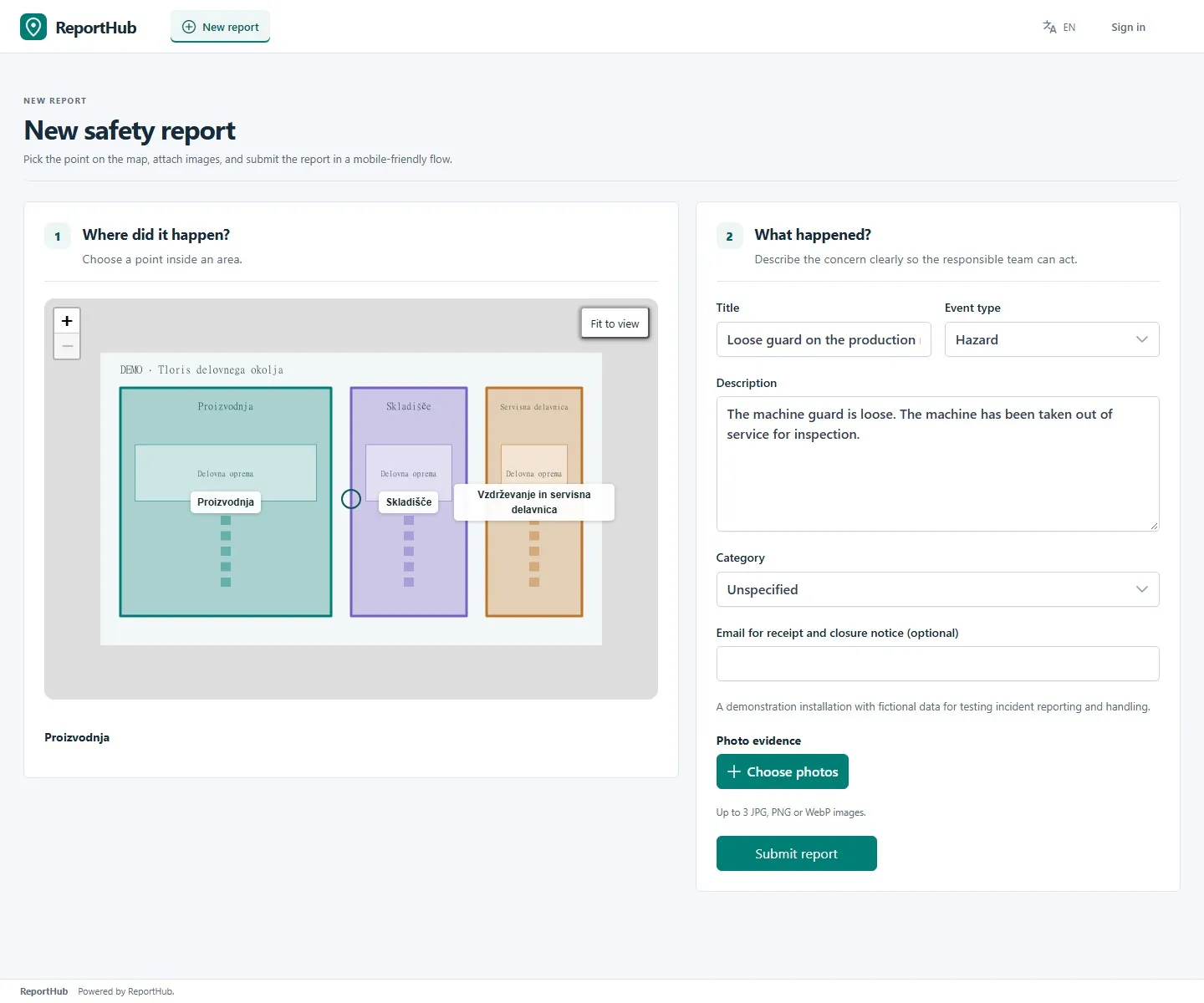
Demo interface
The reference identifies the submission; it is not a public tracking link or permission to access a case. Safety cases, staff notes and corrective evidence are not a public report directory. An intake link can display the entire associated plan, so share workplace links only with their intended audience.
If submission is blocked
Section titled “If submission is blocked”| Problem | What to do |
|---|---|
| No areas available | Ask the workplace administrator for an active area or the correct reporting link. |
| Point outside an area | Choose a point inside the outlined area. With a fixed QR link, ask for a corrected link instead of selecting a different place. |
| Missing title or description | Complete the highlighted field with enough detail to identify the issue. |
| Email or consent error | Check the email and consent, or remove the optional email. |
| Failed submission | Check connectivity and the on-screen error. Keep your text and retry when the problem is resolved. If no reference appears, do not assume submission succeeded. |
If you supplied an email, delivery still depends on your employer’s mail configuration. For follow-up or a correction, contact the responsible workplace team and give them the reference. Staff handling the report can use the case-management guide.